Manual contents
Getting started
Installing the pluginGetting startedThe patch listPatches
Recalling a patchRenaming a patchFavouritesSearching patchesUndo and redoCopying patches and clearing a rangeBatch renameTagsReordering patchesImporting patch namesYour device
My devicesDevice templatesTemplate filesSupported devicesSwitching banksDisconnecting and reconnectingChoosing the MIDI inputProgram ChangeDevices
Device pagesSongs
The rackSong scenesPatch changes on the timelineSound controlsMIDI in
MIDI LearnMIDI monitorLibrary
Exporting and importing the bankSysEx backup and restoreData storageSet up in your DAW
Logic ProAbleton LiveReaperCubase and NuendoFL StudioStudio OneBitwig StudioHelp
Reporting a problemUpdatesBeta testingWhat's newFor version 0.9.9 · beta · Change
Patches
Favourites
Mark the patches you reach for most, then list only those.
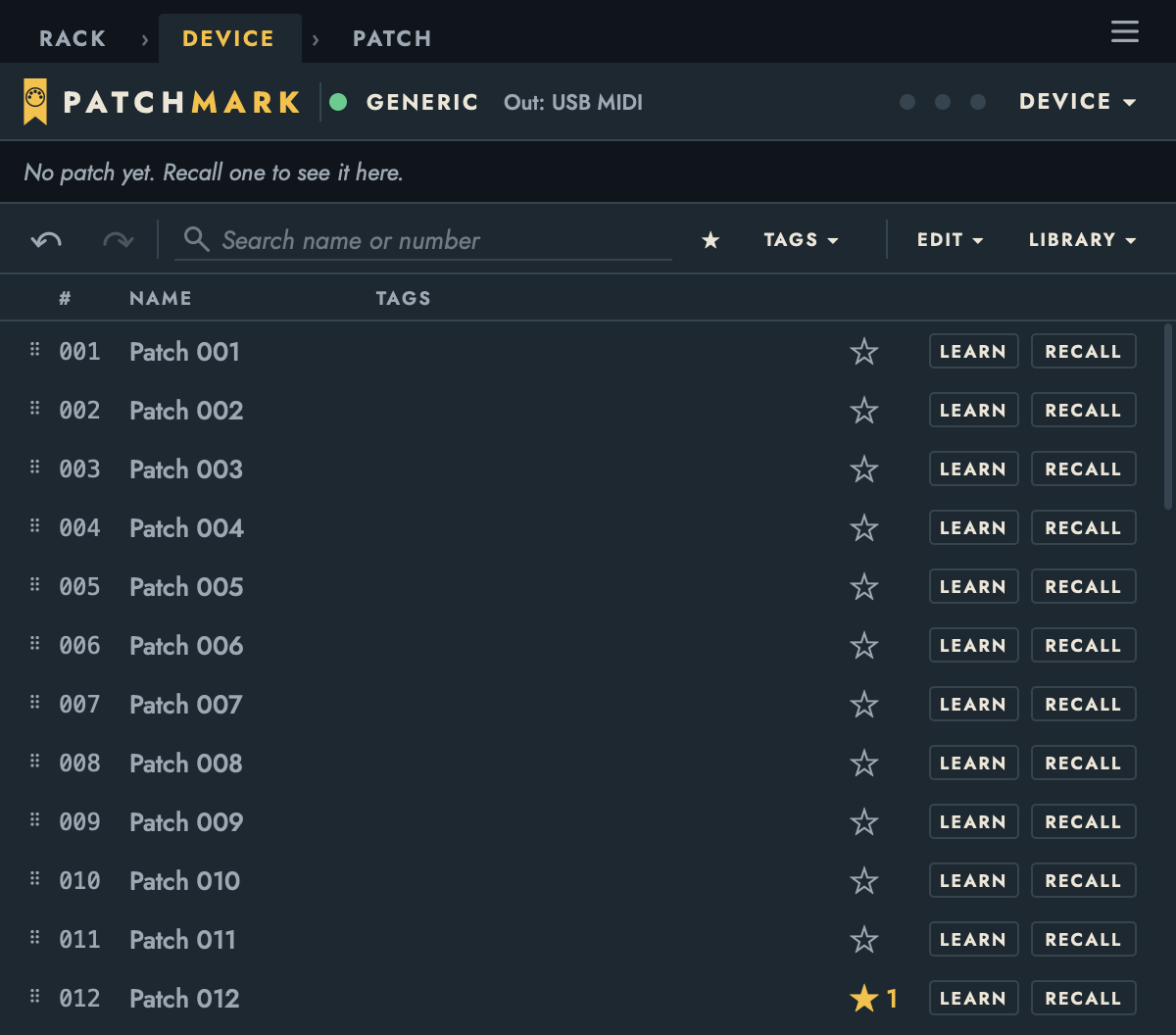
Marking a favourite
- Click ☆ on a patch's row. It fills in as a gold ★, with the favourite's number beside it.
- Click ★ again to remove it.
- Each click is one undo step: Undo reads Undo Favourite 012 or Undo Unfavourite 012.
- To start over, choose Edit ▸ Delete all favourites…, or right-click the ★ Favourites button. It asks first, then removes every star of this device, in every bank, as one undo step (Undo Delete all favourites). The patches, their names and tags stay, and so do other devices' favourites.
Favourite numbers
Each favourite has a number from 1 to 64, across all of the device's banks. Your DAW's Favourite lane recalls favourites by these numbers (Patch changes on the timeline).
- Starring takes the lowest free number. Unstarring frees it; the other favourites keep theirs.
- Right-click the star, or click the number, to choose another. The 64 numbers open with this favourite's filled gold; a number another favourite has carries a small gold dot. Point at a number and the help line says what it is, for example 045 Big Pad, Bank B. Click to swap: Big Pad takes 3. Drag to move Big Pad. A free number moves it there; a taken one swaps the two, and a message names both new numbers (Fantasia Pad is now 7, Big Pad is now 3) with Undo. Undo in the toolbar reads Undo Favourite 012 as 7.
- Drag a number in that grid to move any favourite, not only this one. Press a number that holds a favourite (the gold one or a dotted one) and let go on another: on a free number that favourite moves there, on another favourite's the two swap. No other favourite changes number. While you drag, the help line says what letting go will do (Let go to make Big Pad favourite 12); afterwards a message says so, with Undo, and the grid stays open for the next move.
- Right-click an empty star to star the patch with the number you pick.
- With all 64 numbers taken, the empty stars hide until you unstar one.
- Moving a favourite in the list keeps its number. A copy that takes the star gets the lowest free number, or no star when all 64 are taken. An imported bank keeps its numbers where they are free.
Listing only favourites
- Click ★ Favourites on the second toolbar row (just ★ when the window is narrow). The button turns on, and the list shows only your favourites, by their number: the order your DAW's Favourite lane recalls them in.
- Drag a favourite by its ⠿ handle to renumber the favourites in the new order. The numbers they already have are handed out again, top to bottom, so a gap you left (1, 2, 5) stays. While you drag, the help line says which number it will take; afterwards a message says so too, with Undo, which puts every number back at once.
- The help line at the bottom counts what is listed, for example 3 of 128 patches. With a template that has fewer patches, the count follows it (3 of 32 patches on a DX7).
- The filter works together with the search: with both on, the list shows the favourites whose name or slot number matches what you typed. With a search on, the drag handles hide.
- Click ★ Favourites again to list every patch.
No favourites yet
With the filter on and no patch starred, the list says No favourites yet (Click ☆ on a patch to add it here.). Show all patches turns the filter off.
Favourites as presets in your DAW
Your favourites are also the plugin's presets in the DAW: Logic's preset menu at the top of the plugin window, or the program list in a VST3 host.
- Each favourite of every bank is listed in number order, with its number first and its bank on a device that has several: 3 · Preset B · 012 Fantasia Pad.
- Picking one recalls that patch on your hardware, exactly as clicking its row does: Send Program Change and Follow hardware both apply.
- Starring, unstarring or renaming updates the list right away. The patch the hardware is on shows as the current preset when it is a favourite.
- With no favourites, the list holds one entry, No favourites, which does nothing.
- In a VST3 host the list always has 128 entries, favourite N at entry N and dashes for free numbers and after 64: VST3 fixes the list's length when the plugin opens. A dash does nothing.
- While a project opens, a preset the DAW restores sends nothing: the patch your project remembers is the only one sent (see Recall).
Kept with your project
Each plugin instance remembers whether its Favourites filter (and its search) was on, and opens that way when you reopen the project (see Data storage).
Shortcuts
- Click ☆ / ★ on a row: mark or unmark the favourite
- Right-click ★, or click its number: choose the favourite's number
- Drag a number in the number grid: move that favourite to a free number, or swap it with another
- ★ Favourites: list only favourites, or every patch again
- Drag ⠿ with only favourites listed: renumber the favourites
- ⌘Z: undo the last star
This manual is for version 0.9.9.