Manual contents
For version 0.9.7 · beta · Change
You're reading the manual for Patchmark 0.9.7. Go to this page for 0.9.9
Exporting and importing the bank
Save the bank as a file, to back it up or to move its patch names to another project or another computer, and load such a file into an instance. Both are in the Library ▾ menu above the patch list.
Export bank
- Choose Library ▾ ▸ Export bank…. The save dialog opens.
- Choose a folder and a name. The file is a
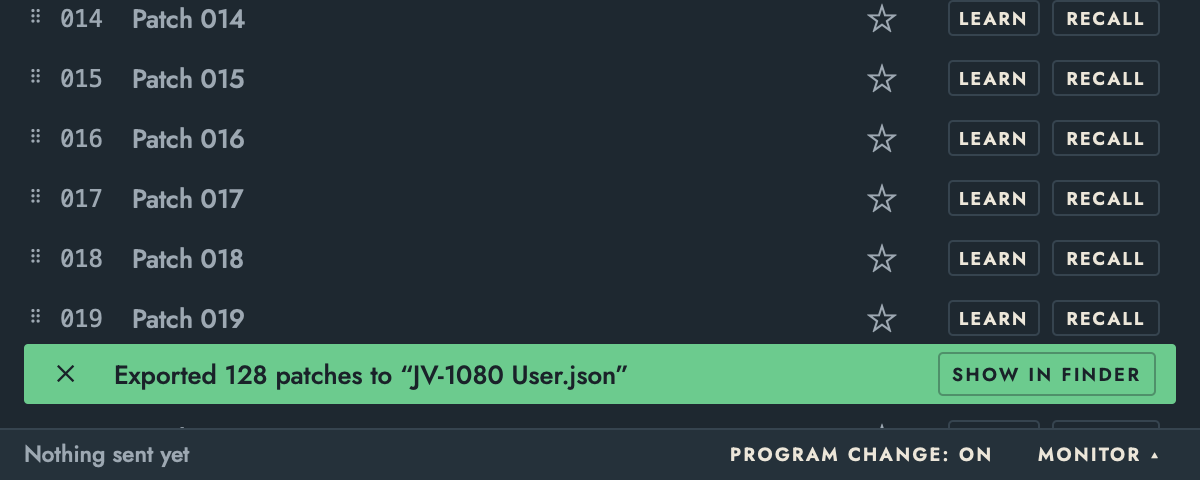
.jsonfile; the plugin adds.jsonif you leave it out. - A green message at the bottom of the list confirms it ("Exported 128 patches to “JV-1080 User.json”"). Click Show in Finder on it to see the file.
The file holds every patch's name, favourite star and tags. It does not hold the device settings or MIDI Learn mappings; those stay in the project.
Import bank
- Choose Library ▾ ▸ Import bank… and pick a bank file.
- Because importing replaces the whole bank, the plugin asks first and says what the file holds: "128 patches, 12 favourites and 9 tags will replace the current bank. You can undo this." If you taught any of this bank's patches a MIDI Learn message, it also says how many of those mappings go: "2 MIDI Learn mappings will be removed." The imported patches are different sounds, so a mapping would otherwise recall something you never chose. Choosing the file also stops a Learn that is still listening.
- Click Replace bank to load it, or Cancel (or Esc) to keep your bank as it is.
The import is one step of the undo history: Undo ("Undo Import bank") puts back the bank as it was, with its MIDI Learn mappings, and the steps before it stay (see Undo and Redo).
When a file can't be imported
The plugin refuses the file, says why, and leaves your bank untouched:
- "It was saved by a newer version of the plugin." The file comes from a newer build of the plugin than this one. Update the plugin, then import it again.
- "It isn't a bank file from the plugin, or it is damaged." The file is not a bank file, or it was cut off or edited by hand. Export the bank again from where it came from.
Files exported by earlier builds of the plugin (a plain list of patches) still import.
All banks: export and import the library
For a device whose template has several banks (the Roland JV-1080: User, Preset A–D), the Library menu has an All banks group under This bank:
- Export library… saves every bank of this plugin, and the bank shown, in one file. A message confirms, for example Exported 5 banks to “JV-1080 library.json”, with Show in Finder.
- Import library… asks first, with what the file holds: "5 banks: 640 patches, 12 favourites and 9 tags will replace every bank. Undo history will be cleared." Every MIDI Learn mapping goes too, and the message says how many. Click Replace all banks, or Cancel. Afterwards the list shows the bank that was shown when the file was exported, and the current patch is no longer marked: the names it pointed at were replaced.
- A library imported into a plugin whose template has fewer banks keeps the extra banks: they come back when you choose a template with more.
- A library file is refused, with the same messages, when a newer version of the plugin saved it or it is damaged. A single bank's file is refused too ("isn't a library file from the plugin"): use Import bank… for it.
With a single-bank template the group isn't there: Export bank… already holds everything.
This manual is for version 0.9.7.