Manual contents
For version 0.9.7 · beta · Change
You're reading the manual for Patchmark 0.9.7. Go to this page for 0.9.9
Disconnecting and reconnecting
What the plugin does when the hardware's output port goes away and comes back: an interface that is unplugged or switched off, or another app that closes the virtual port it published.
The plugin keeps your choice of port when the hardware goes away and picks it up again by itself when it comes back. You don't have to choose the port again.
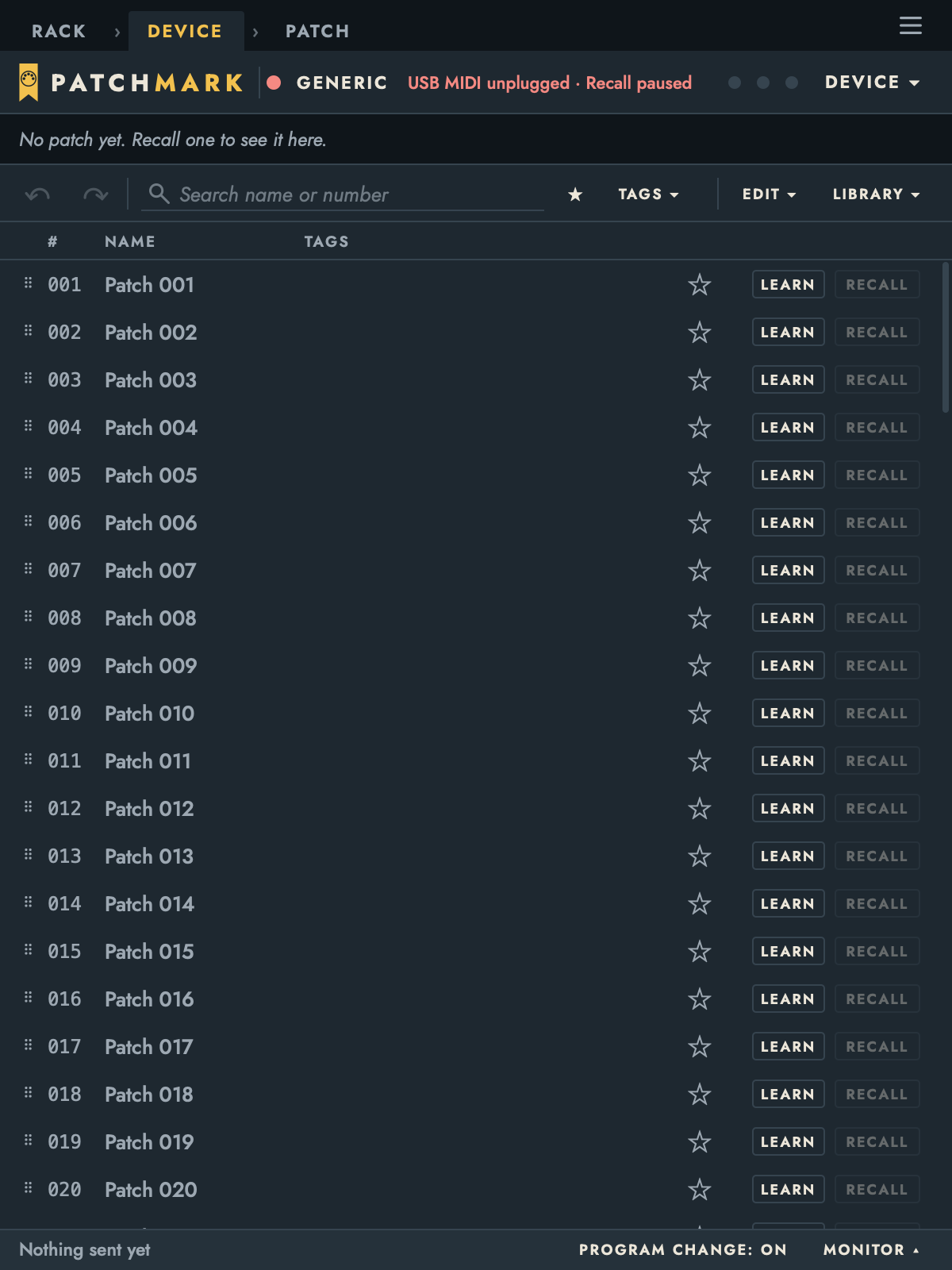
The hardware is unplugged
When the hardware is unplugged, or switched off:
- The header turns red and reads Disconnected · waiting for it to come back.
- Recall and Send test Program Change are greyed out, since there is nothing to send to.
The plugin shows no message: the red header is the sign. Nothing else is blocked: you can browse, rename and organise patches meanwhile.
The hardware comes back
The plugin reopens the port. The header turns green again (Connected) and Recall works again.
If another app grabbed the port in the meantime, the plugin can't reopen it. The header then reads Disconnected, and the device setup explains that another app may be using the port, with Try again.
This works the same for virtual ports, such as an IAC bus or a port another app makes: when the app quits, the port goes away; when it starts again, the plugin picks the port up by itself. If two ports with that name come back at once, the plugin can't tell which one you chose, so it keeps waiting. Choose one in Output.
The project opens without the hardware
The header stays red and reads Not found, but keeps the saved port, so the project still remembers which port the device uses. Recall is greyed out. Plug the hardware in and the plugin connects to it, as above.
This manual is for version 0.9.7.